


By Design Bundles
Designing a Business card in Photoshop
1- Open Photoshop.
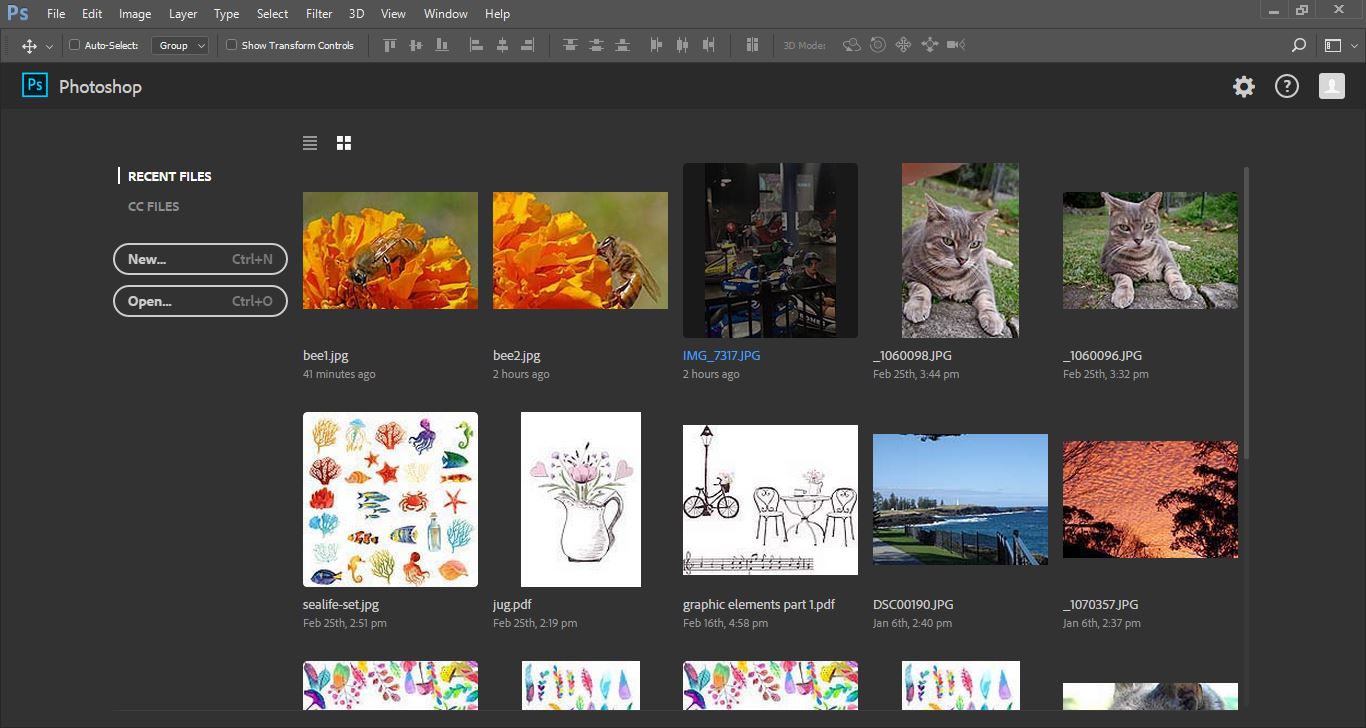
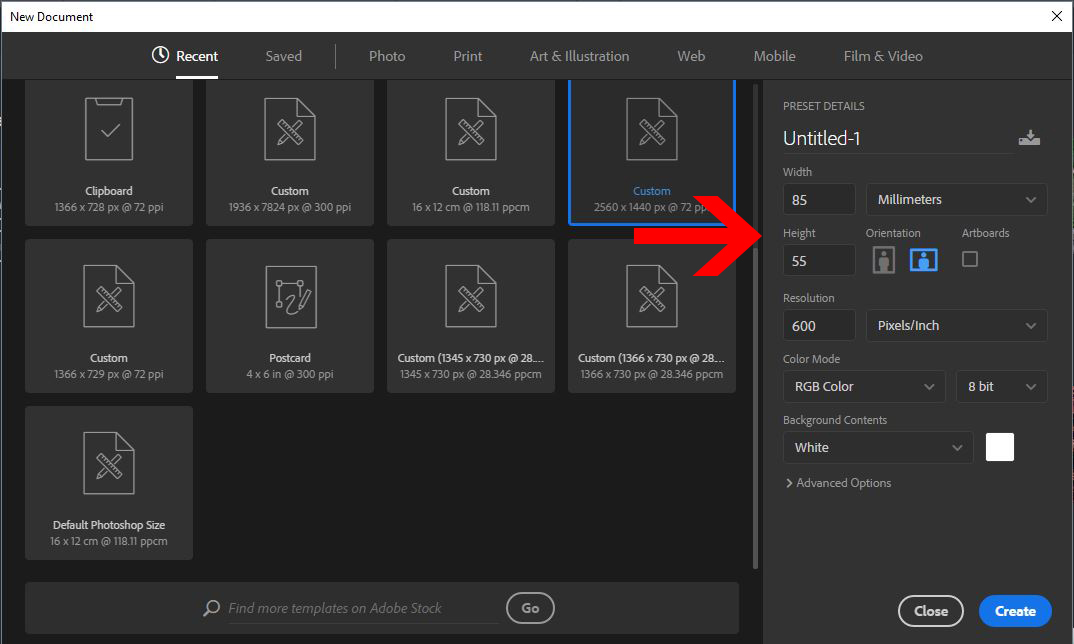
2- Create a new file 85mm x 55mm and approx 600px.
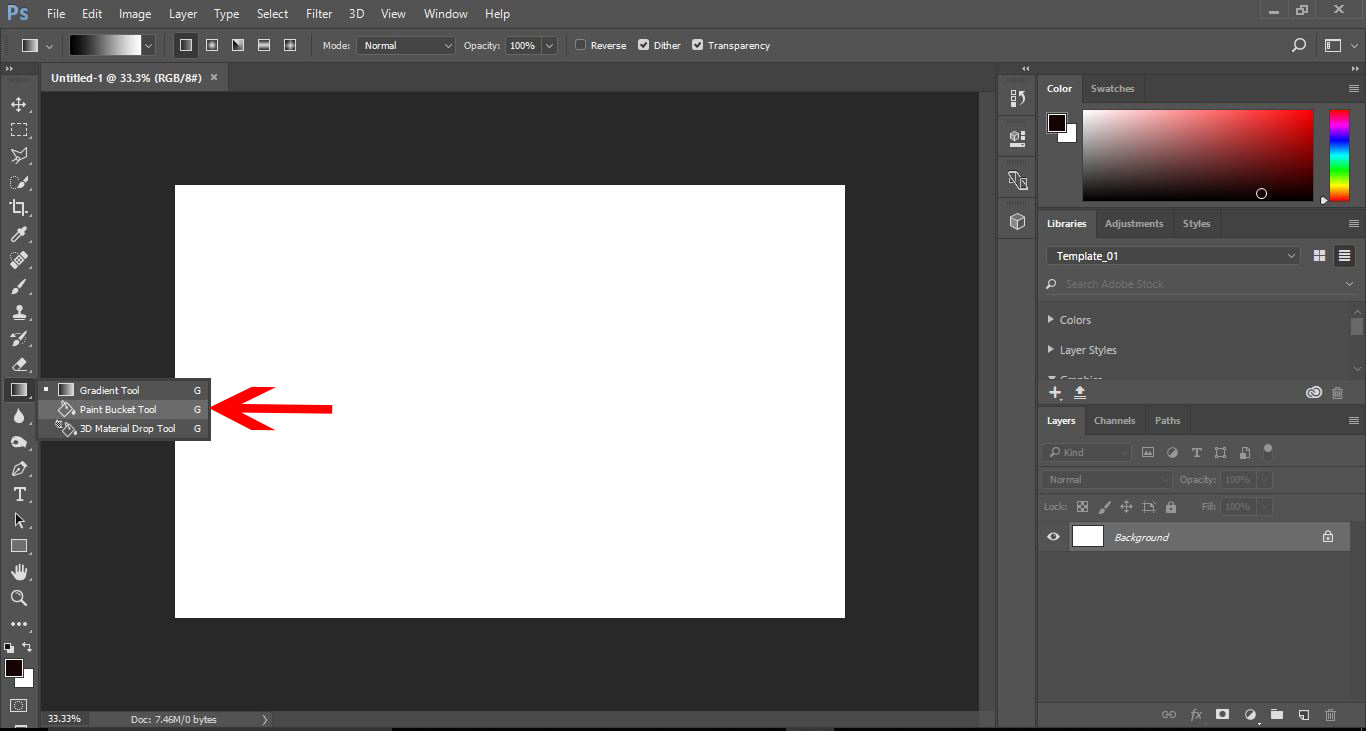
3- First we need to fill in our background colour. Right click on the gradient tool icon and select the paint bucket fill tool.
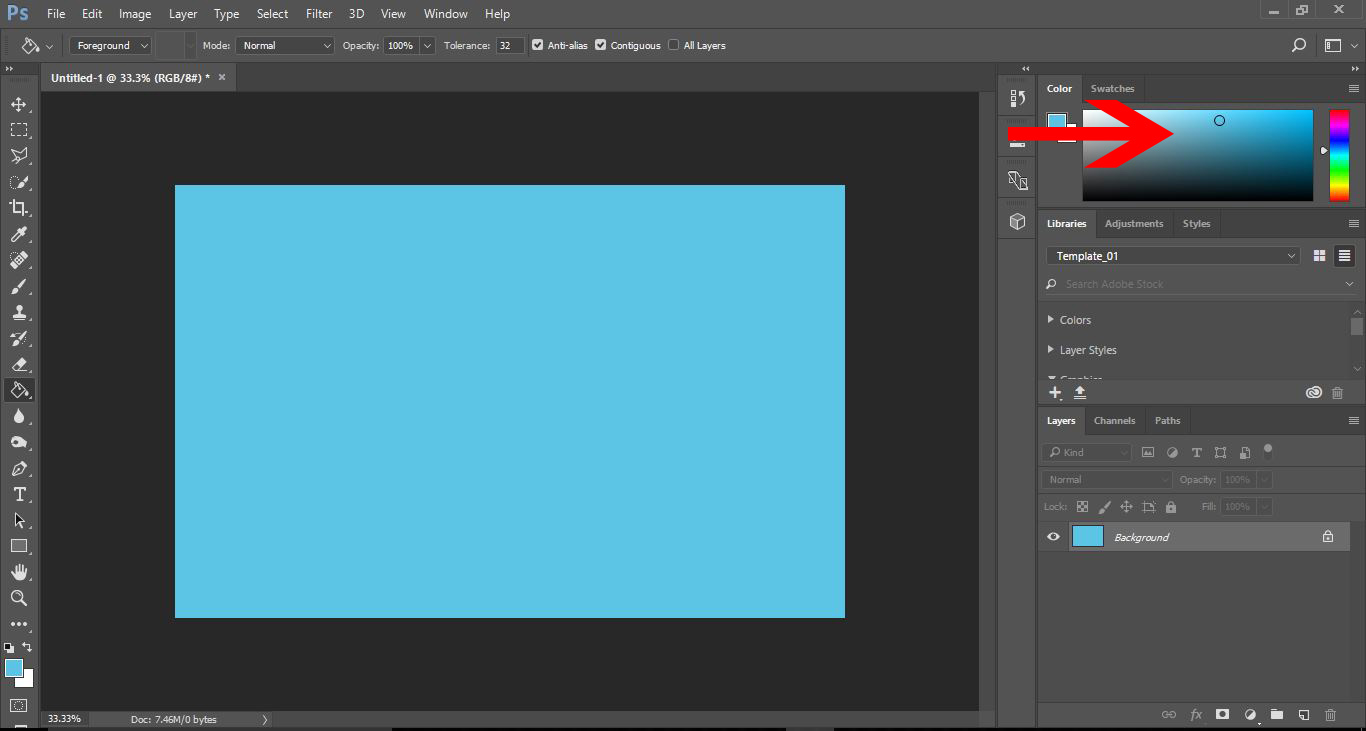
4- Select your fill colour.
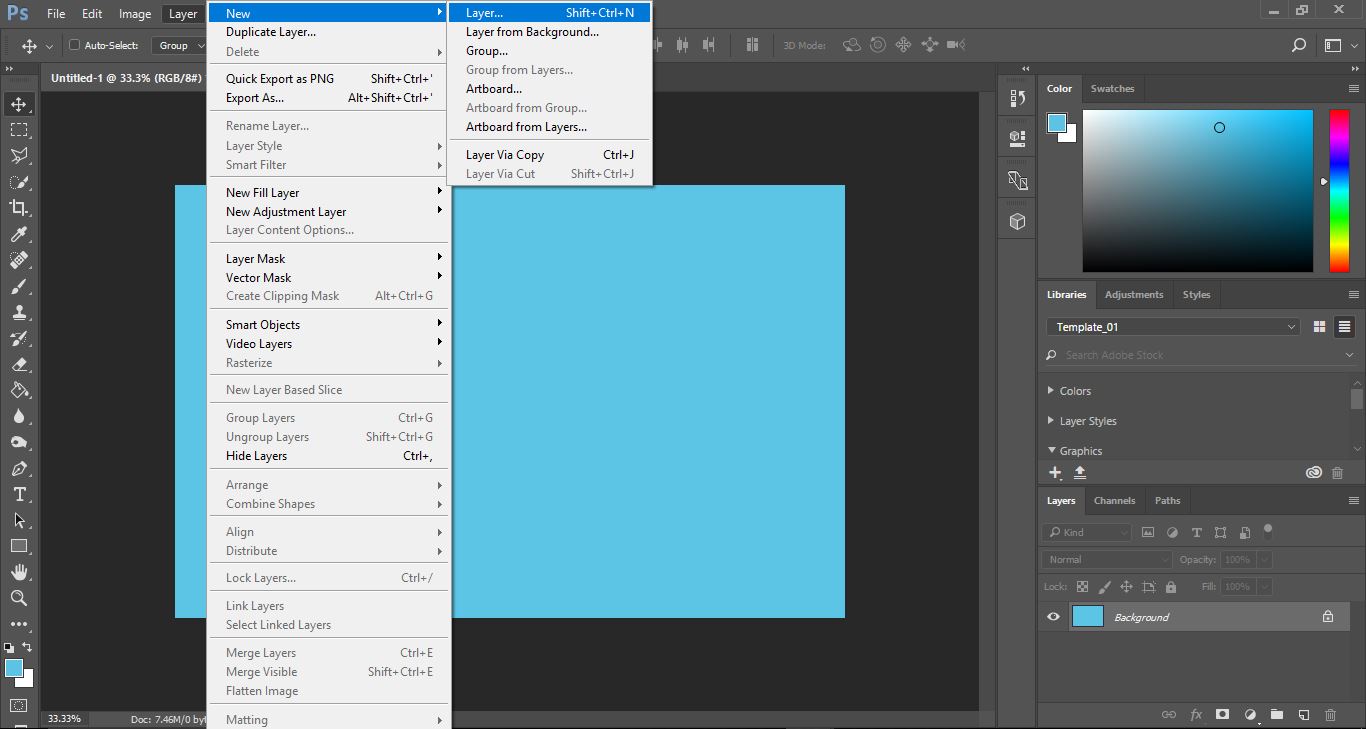
5- Create a new layer to place the logo on. Layer > New > Layer.
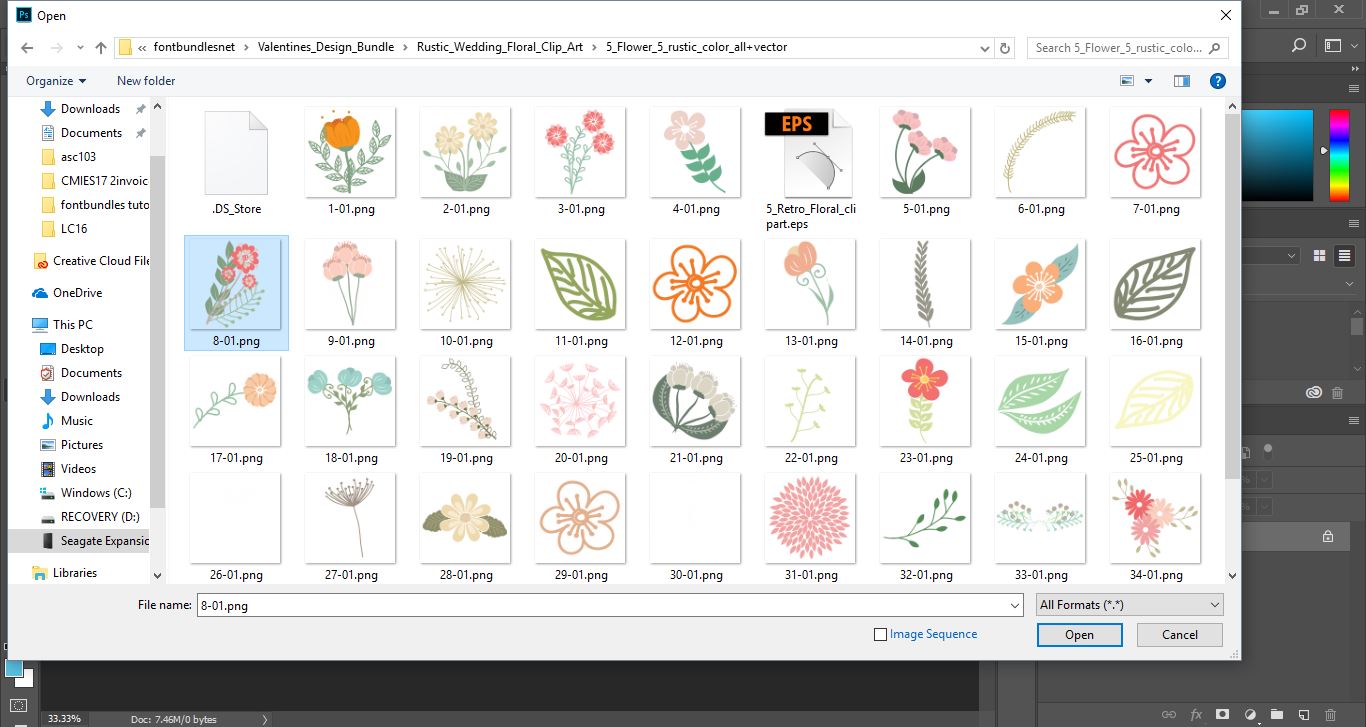
6-Open your files and select the image you would like to use for the logo.
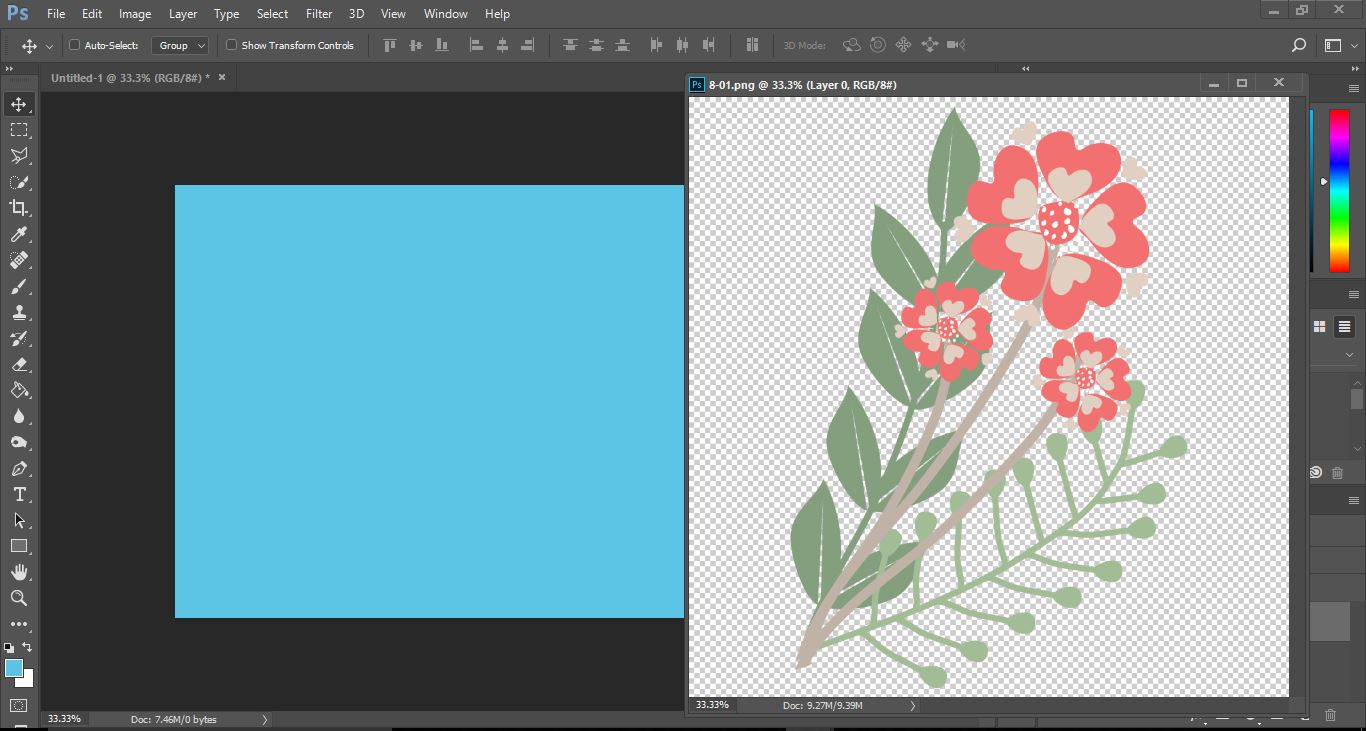
7- With your image in a separate window click and drag it onto the business card.
8- Select the image and selectEdit > Free Transform.
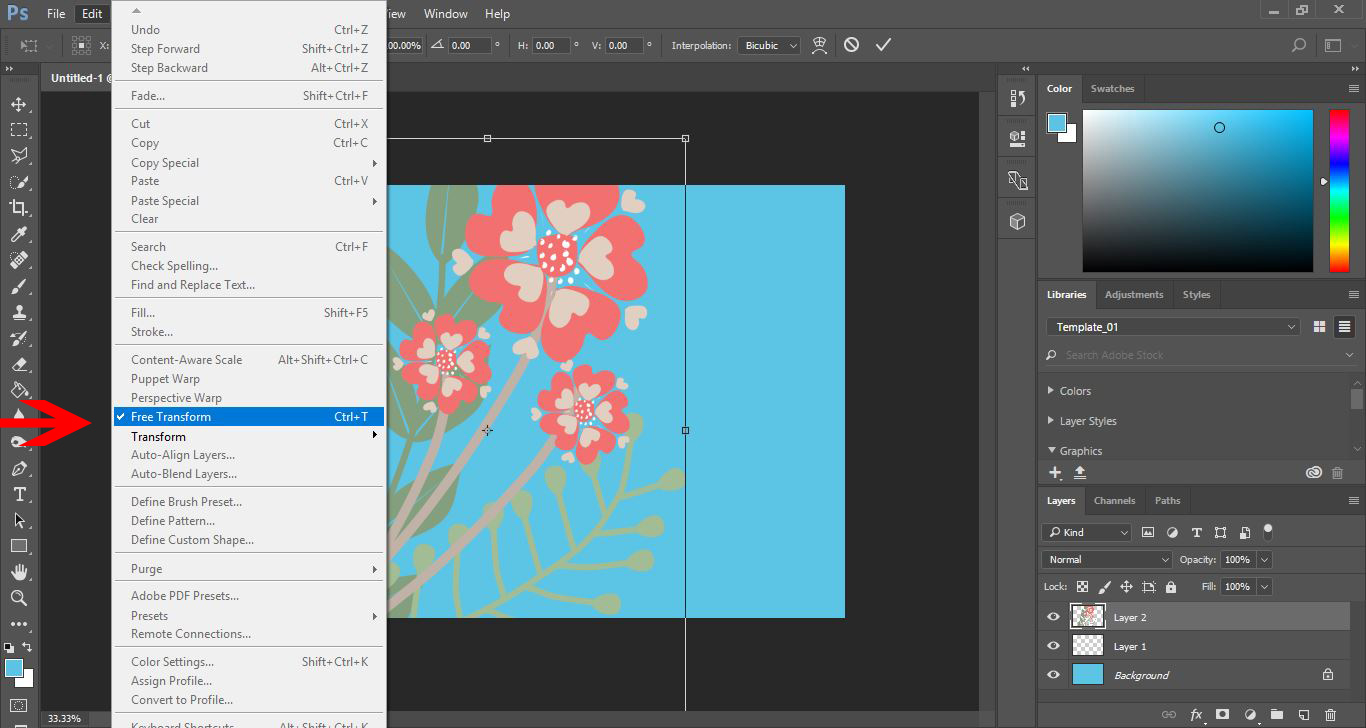
9- Adjust the size of your image to fit the business card.
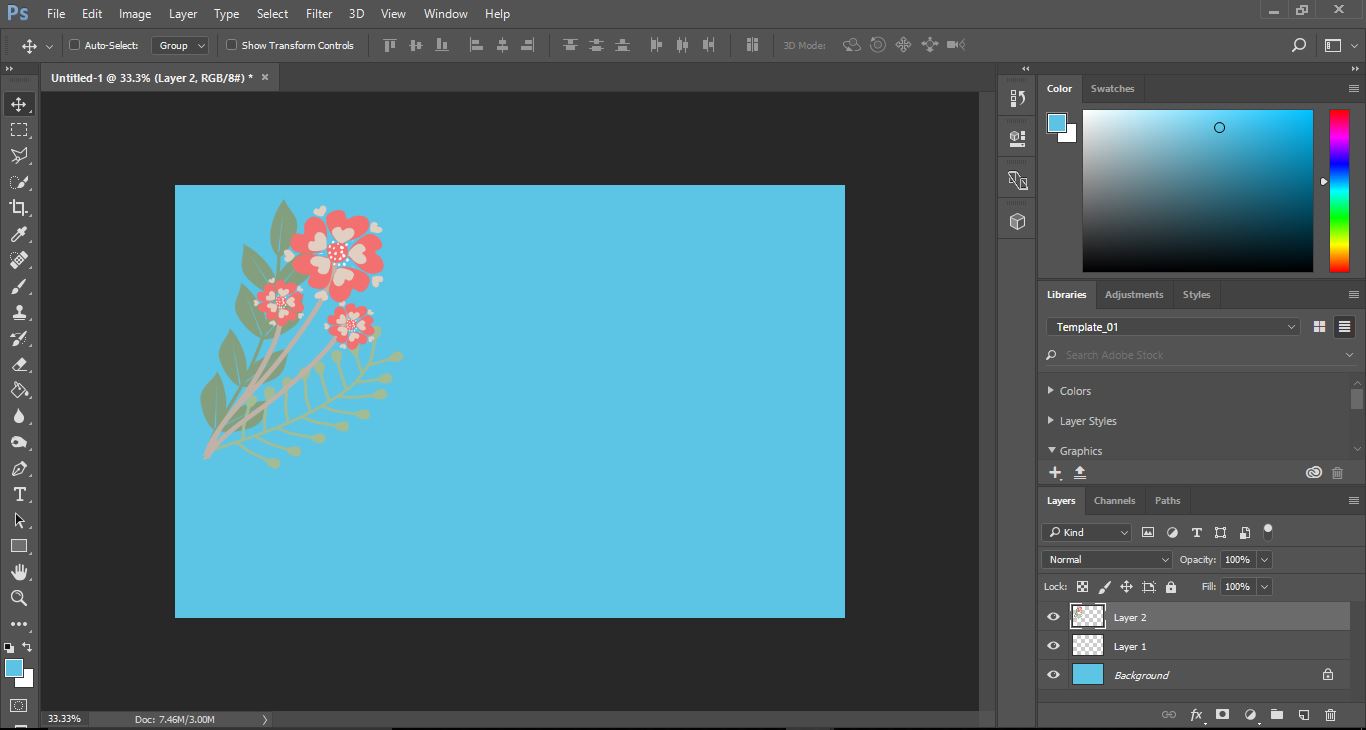
10- We now can add effects to the image. Layer > Layer Style > Drop Shadow.
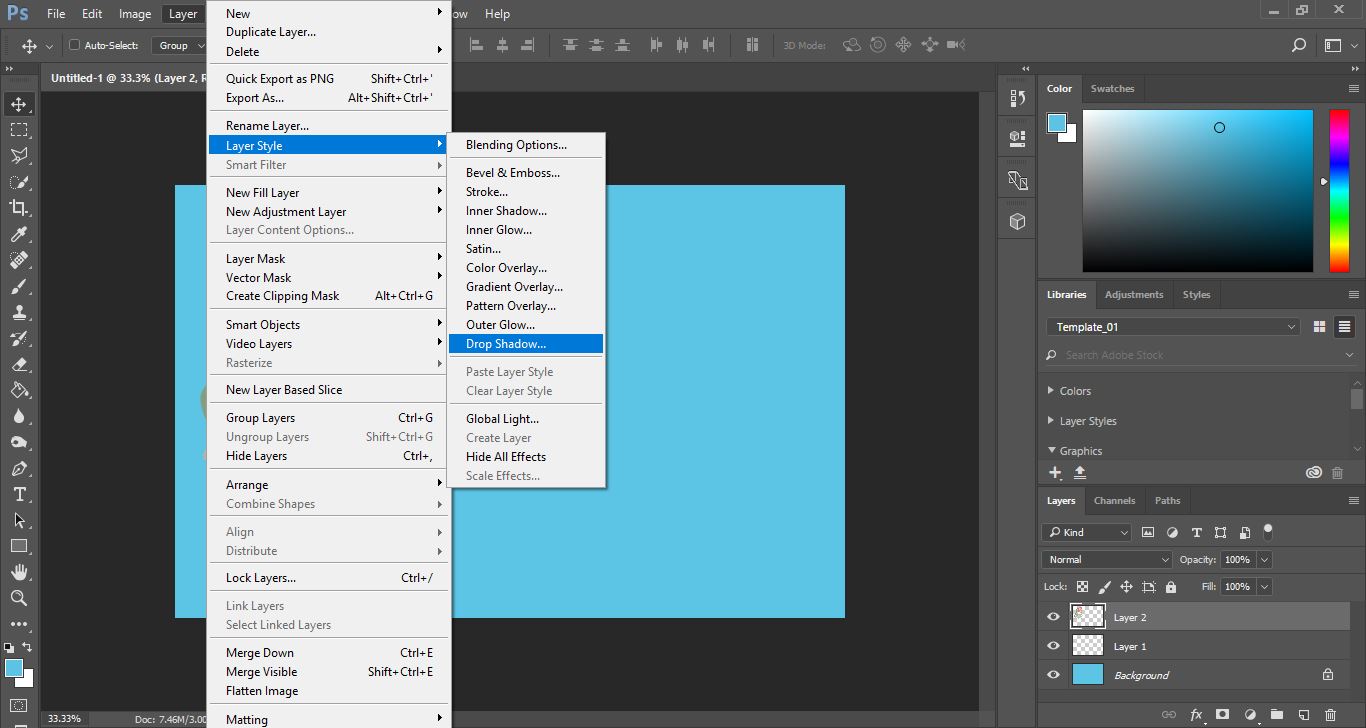
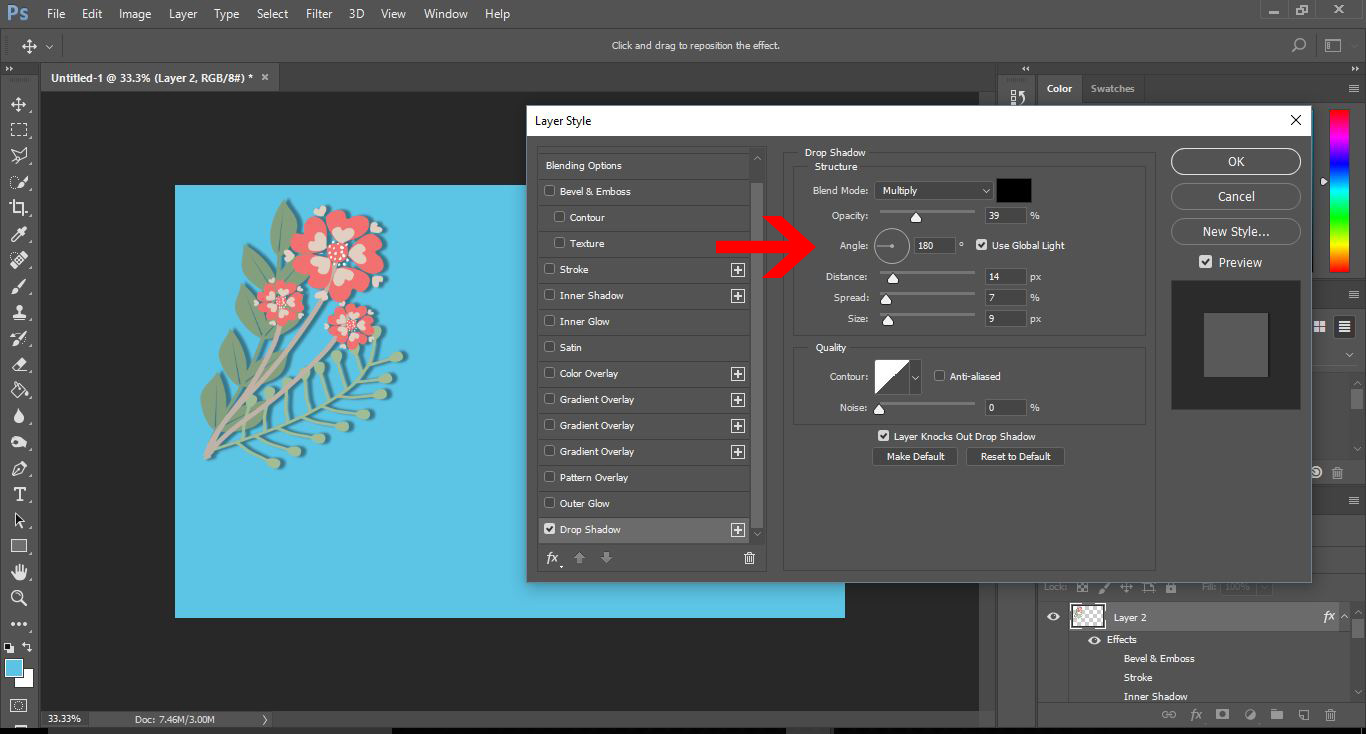
11- Add a drop shadow to your image and any other effects you would like.
12- Create a new layer. Select the text tool and start typing your information onto the card.
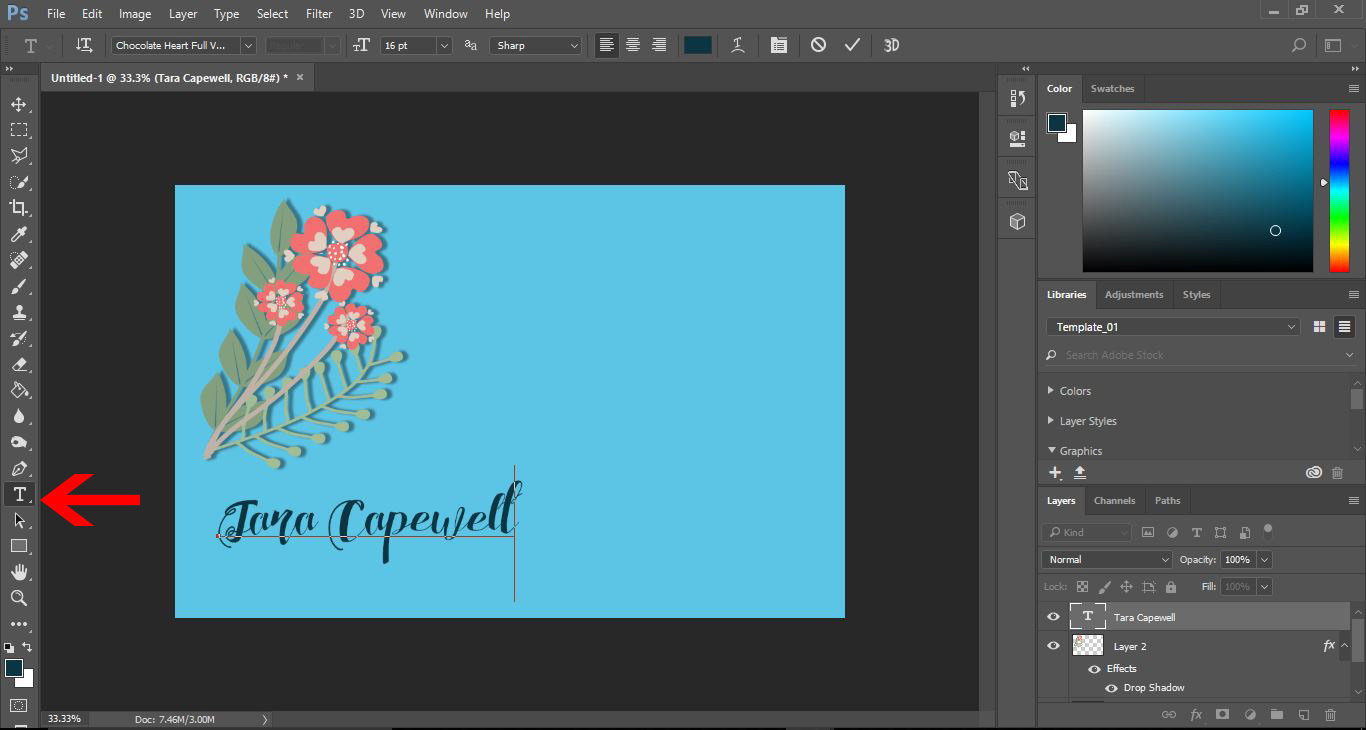
13- When adding your information, create a new layer for each selection of information. This way you can adjust them to fit the business card without affecting the other text.
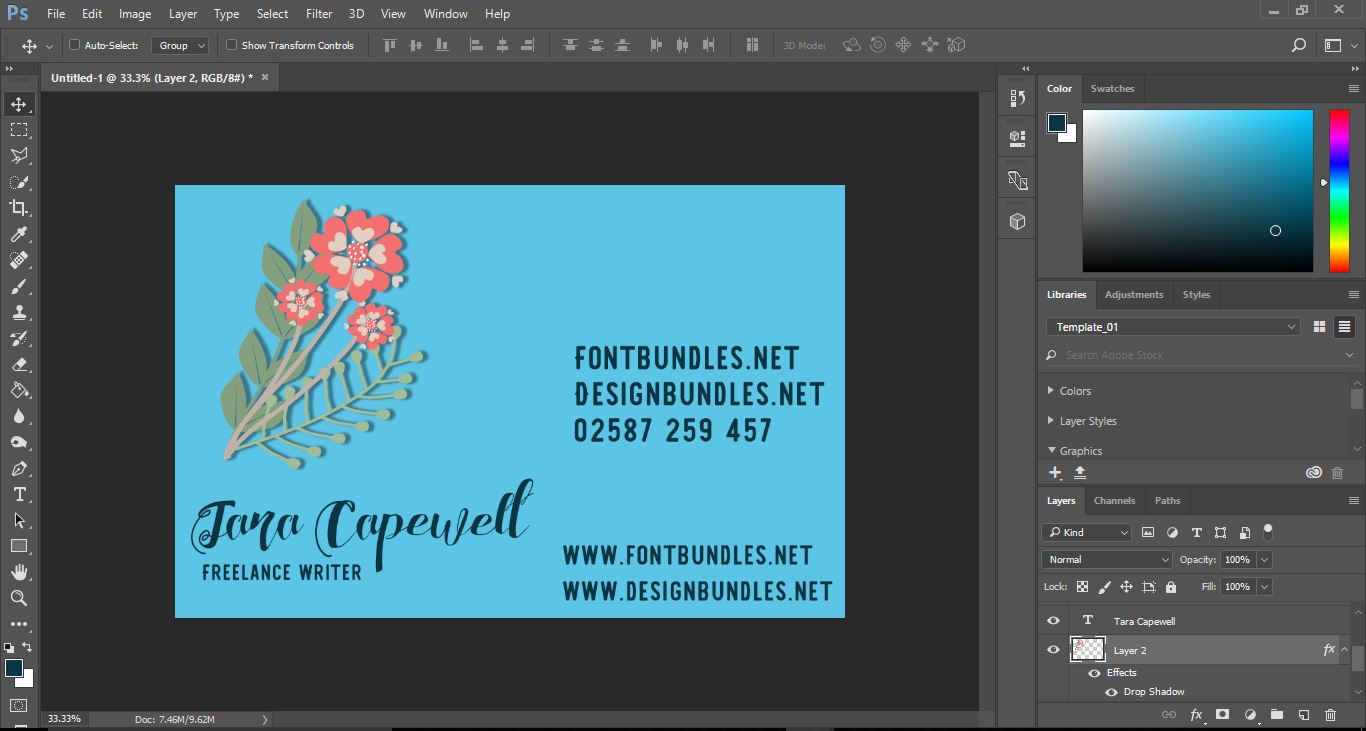
I have used designs fromtheRustic Wedding Floral clipartset by burlapandlace.
One of the Fonts I have used here isChocolate Heart Scriptby feydesign.


