
Realistic Cat Face Corner Bookmark ITH Applique Embroidery

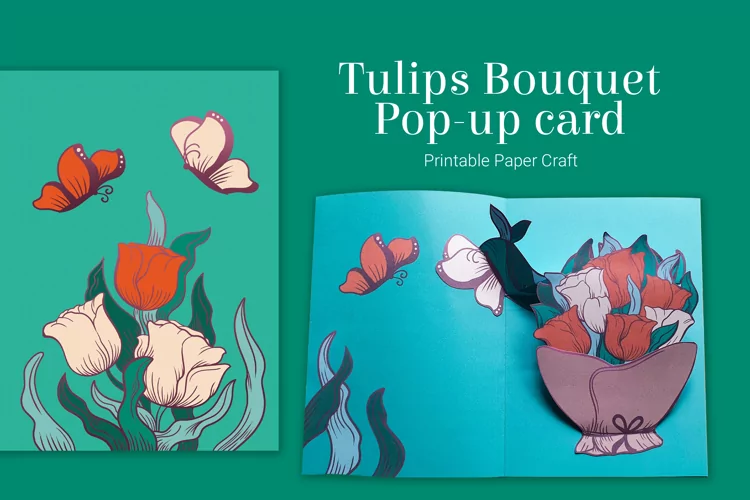
This print and cut pop up card features a bouquet of beautiful mixed spring flowers when you open it. The front of the card is blank so that you can add your own design. Full step by step instructions walk you through how to add a print and cut design for Cricut and Silhouette. Other machine types may not be supported. The card fits into a square envelope.
This is an SVG file for use with an electronic cutting machine such as a Cricut Explore or Silhouette.
Additionally, for paper crafters, some designs can be cut by hand. Instructions on how to do this can be found at the link below:
http://tiny.cc/printSVG
The design comes in these different file formats:
Use your cutting machine's software to resize the cutting template as needed. Make sure to scale all the pieces equally and proportionally so that they will still fit together correctly.
Cricut users, please note that a separate scoring tool, such as a scoring stylus or scoring wheel, is required to be able to utilize the score lines. You may also need to change the score lines from 'Cut' to 'Score' and attach them to their corresponding piece in the Design Space software. For more detailed instructions on how to do this, please watch the video linked below:
https://youtu.be/AYWwEcPUI4o
Files included: DXF, JPG, PDF, PNG, SVG