
The Ultimate Cookie Recipe Collection
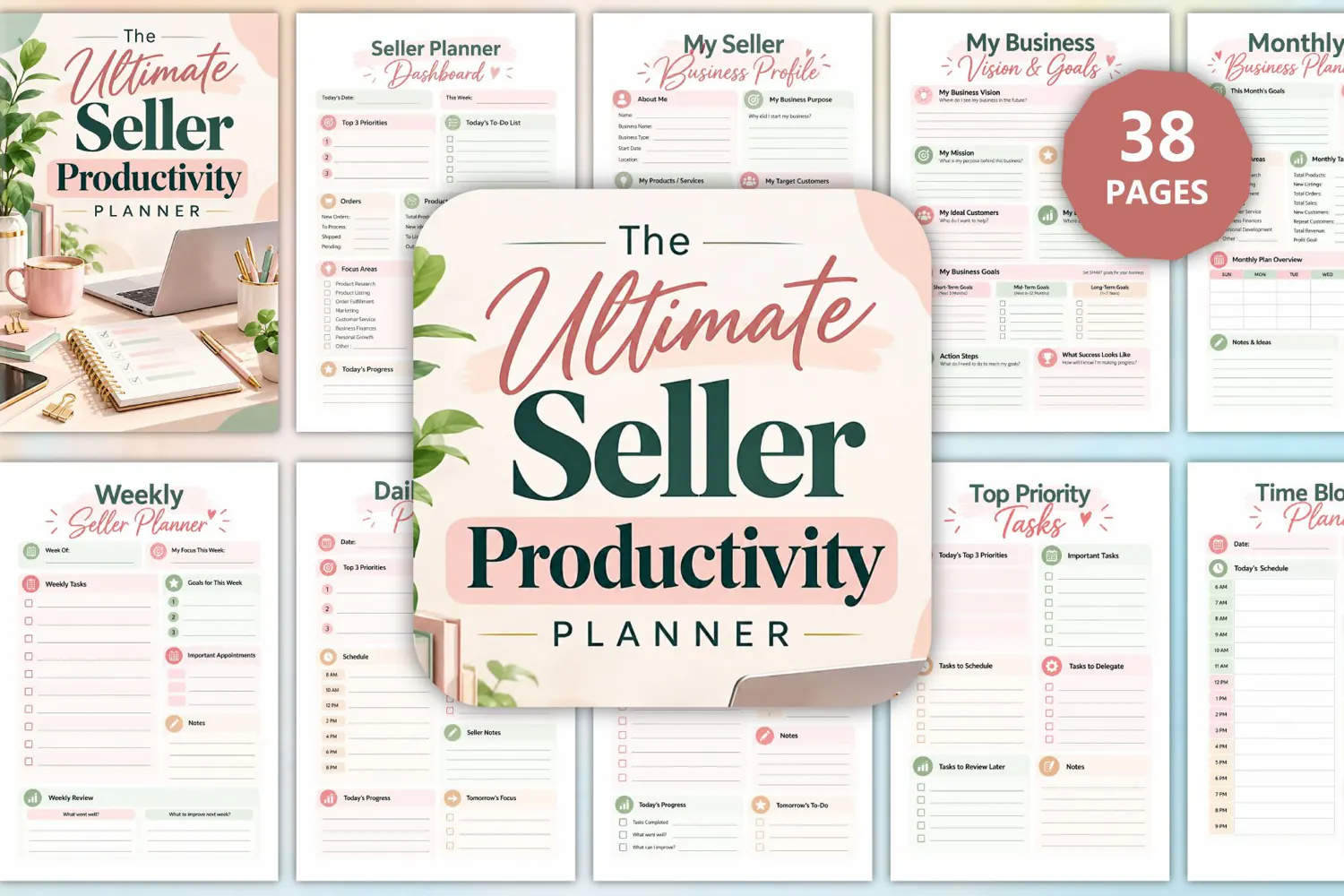
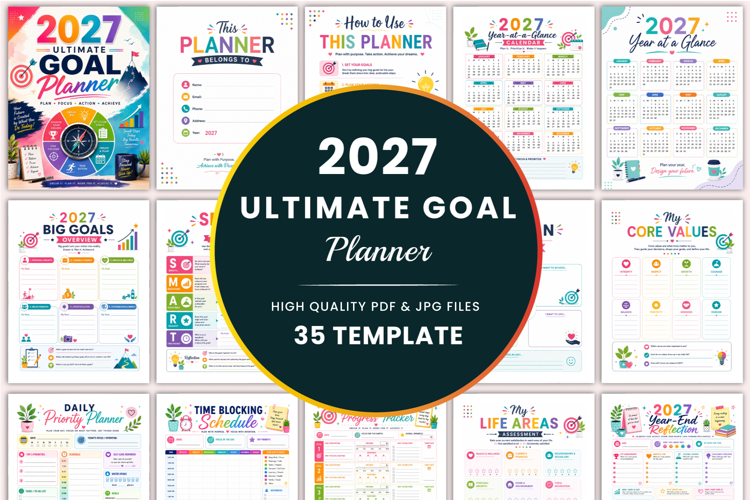
The Ultimate Seller Productivity Planner is a practical and comprehensive planning workbook designed to help online sellers, creative entrepreneurs, and owners manage their daily tasks, organize product listings, track orders, monitor sales, and improve overall productivity. Whether you sell digital products, printables, templates, handmade items, or physical products, this planner helps you organize your workflow and focus on the activities that move your business forward. With dedicated worksheets for product research, inventory management, order fulfillment, marketing, customer service, sales tracking, budgeting, and business reviews, you can build better routines, reduce overwhelm, and work toward your business goals with greater confidence.
✨ Key Features
📊 Seller Planner Dashboard
Get an overview of your daily priorities, to-do list, orders, products, sales, focus areas, notes, and progress. Keep important business information organized in one convenient place.
🏢 Organize Your Seller Business Profile
Record your business details, products and services, target customers, business purpose, strengths, challenges, and future growth plans to create a clearer foundation for your seller journey.
🎯 Define Your Business Vision & Goals
Clarify your business vision, mission, values, and ideal customers. Set short-term, mid-term, and long-term goals with practical action steps to measure your progress.
📅 Plan Your Month
Organize monthly goals, key tasks, focus areas, sales targets, important dates, and priorities. Use the monthly calendar and notes sections to keep your business activities on track.
🗓️ Create Your Weekly Seller Plan
Outline weekly tasks, set clear goals, identify your main focus, record appointments, and review what went well and what you want to improve next week.
☀️ Manage Your Daily Tasks
Plan your daily priorities, schedule activities, record appointments, organize seller notes, review your progress, and prepare the next day's focus.
⭐ Prioritize Important Tasks
Identify your top three priorities, separate important tasks from those that can wait, schedule upcoming work, delegate responsibilities when possible, and organize your notes.
⏰ Use Time Blocking for Better Productivity
Create a structured daily schedule, assign time blocks to focused work, organize additional tasks, and reduce distractions by giving important activities dedicated time.
📈 Track Your Productivity
Monitor your priorities, tasks, habits, and time spent on activities. Rate your productivity, reflect on your accomplishments, and identify areas where you can improve.
🔍 Research Products & Markets
Record product ideas, analyze market demand and competition, identify target customers, collect keyword ideas, document research insights, and outline your next steps.
💡 Brainstorm New Product Ideas
Explore ideas for printables, templates, planners, journals, and other products. Identify your target audience, list useful product features, collect inspiration, and organize promising ideas.
🛍️ Create Professional Product Listings
Organize product details, define listing goals, plan keywords and SEO, prepare descriptions, list key features, organize listing images, set prices, and complete your launch checklist.
📦 Manage Your Product Inventory
Track product names, types, formats, quantities, stock levels, and sales. Identify best-selling products, prepare reorder lists, and record items that are running out of stock.
🔄 Plan Stock Replenishment
Monitor current inventory, identify products that need reordering, record suppliers, estimate restock dates, and use a replenishment checklist to keep inventory organized.
🧾 Track Orders from Start to Finish
Record order details, products, quantities, suppliers, delivery dates, and order statuses. Keep shipping information and order summaries organized for easier order management.
📬 Organize Order Fulfillment
Follow a clear checklist for confirming orders, picking items, packing products, arranging shipping, updating customers, and completing post-shipping tasks.
🚚 Manage Packaging & Shipping
Track packaging materials, shipping methods, tracking numbers, dispatch dates, delivery dates, and shipping statuses. Monitor delayed, delivered, and orders.
↩️ Track
Record requests, reasons for , details, shipping information, and follow-up tasks. Keep and activities organized for easier resolution.
💬 Improve Customer Service
Track customer inquiries, common issues, response times, resolution statuses, and follow-up activities. Use customer service records to identify recurring problems and improve support.
📣 Build a Marketing Strategy
Define marketing goals, identify your target audience, highlight unique selling points, select marketing channels, plan content, organize campaigns, and track performance.
🗓️ Create a Content Planning Calendar
Plan monthly content themes, set content goals, organize content ideas, schedule publishing dates, track content status, and review engagement and performance.
🎉 Plan Promotional Campaigns
Organize campaign details, goals, promotion channels, marketing messages, activities, content, expected results, and campaign reviews to make your promotions more structured.
💰 Set & Track Sales Goals
Establish overall and monthly sales targets, plan sales strategies, monitor orders and revenue, identify top-selling products, and review sales growth over time.
🧾 Maintain a Daily Sales Record
Record daily orders, products sold, quantities, sale amounts, shipping costs, payment methods, and sales statuses. Review sales summaries and identify your best-performing products.
📊 Review Monthly Sales Performance
Compare weekly and monthly sales, track average order value, review top-selling products, analyze sales by category and payment method, and identify opportunities for improvement.
🏆 Identify Your Best-Selling Products
Compare product sales, revenue, orders, and profitability. Discover top-performing products, observe sales trends, and plan strategies to improve product listings and promotions.
❤️ Collect Customer Feedback
Record customer reviews, ratings, suggestions, and common feedback topics. Monitor customer satisfaction and turn useful insights into practical improvement actions.
💵 Track Business Expenses
Record business expenses, categorize spending, review payment methods, compare monthly costs, identify unnecessary expenses, and explore practical cost-saving ideas.
📈 Monitor Profit & Loss
Track product revenue, expenses, gross profit, and profit margins. Review monthly financial performance, identify profitable products, and plan your next financial priorities.
🌱 Plan Business Growth
Set SMART goals, identify key growth areas, define milestones, monitor success metrics, anticipate challenges, and organize action steps for sustainable business development.
🧩 Solve Business Problems
Identify challenges, investigate their causes, brainstorm possible solutions, evaluate your options, create an action plan, and track the results of your decisions.
🔄 Complete Weekly Business Reviews
Review your key metrics, assess progress toward goals, celebrate wins, identify roadblocks, record lessons learned, and establish priorities for the coming week.
📅 Complete Monthly Business Reviews
Evaluate sales performance, compare targets with actual results, review achievements and challenges, identify improvement opportunities, and plan the next month's activities.
🚀 Create Your Next-Level Seller Action Plan
Define your bigger business vision, set new goals, organize marketing and growth activities, establish sales targets, track success metrics, and prepare actionable next steps.
📝 Notes & Ideas Pages
Capture product ideas, customer insights, reminders, business observations, and future plans. Keep important information in one convenient place.
Files include:
📄 High-quality, upload-ready PDF files
Suitable for professional printing.
🖼️ JPG files
Sharp, clear images for versatile use.
📄 PDF files
Easily downloadable and printable.
🎨 38 Pages
A variety of beautiful design page.
📏 Page Size: 6×9 inches
Standard for easy printing.
🚫 Bleed-free
Designed with safe printing margins.
🔍 300 DPI
High-resolution for high-quality printing.