
The Ultimate Cookie Recipe Collection
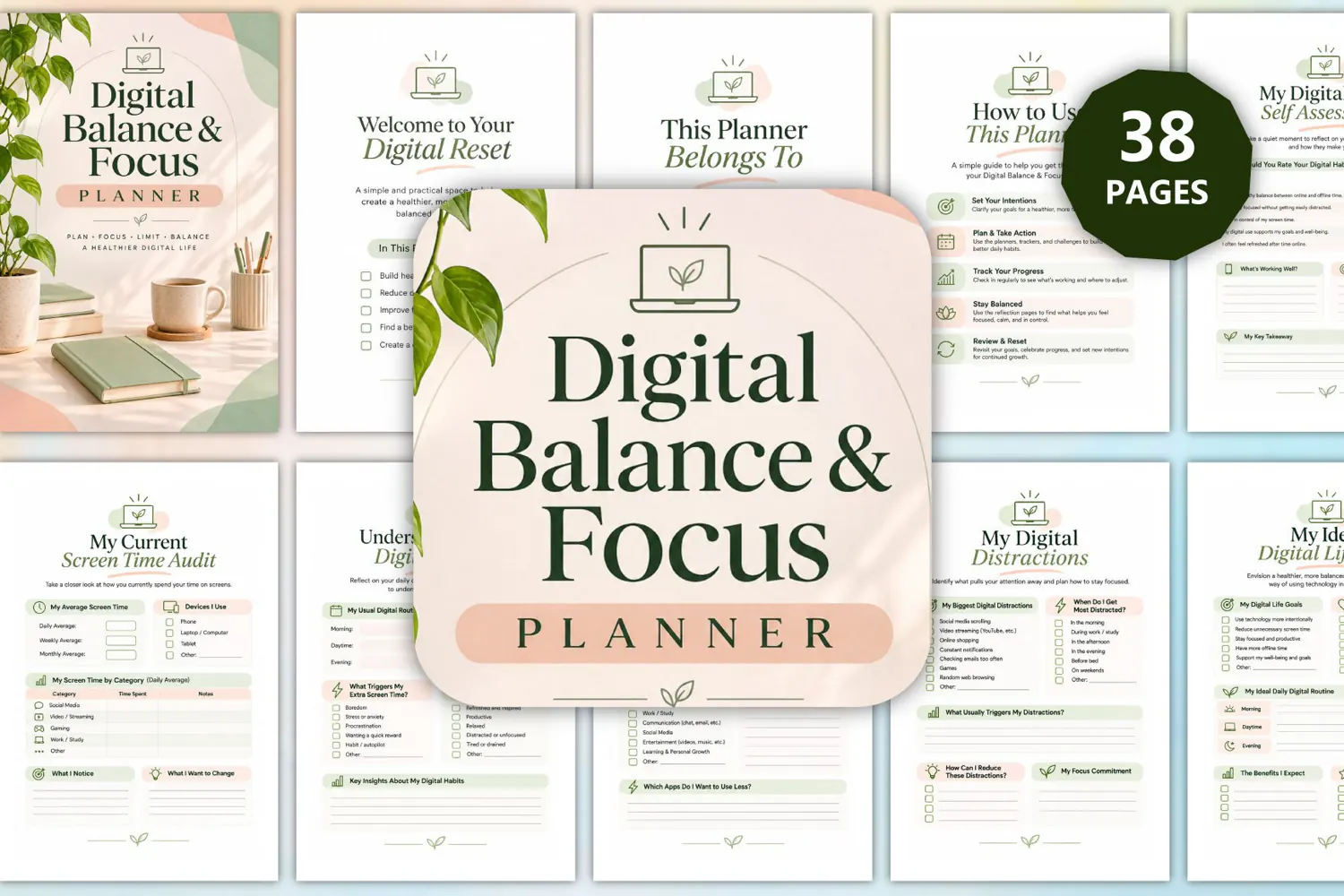
Digital Balance & Focus Planner – Screen Time, Digital Wellness & Productivity Workbook
Create a healthier relationship with technology, reduce digital distractions, improve focus, and make more intentional use of your screen time with the Digital Balance & Focus Planner. This practical 38-page planner provides guided self-assessments, screen time audits, digital habit worksheets, focus planning pages, digital detox challenges, wellness trackers, and reflection tools to help build a more balanced online and offline lifestyle.
✨ Key Features
🌿 Digital Life Self-Assessment
Reflect on your current digital habits, identify what is working well, recognize areas for improvement, and capture your key takeaways.
📱 Screen Time Audit
Review daily, weekly, and monthly screen time while tracking how your time is divided across social media, video, gaming, work, study, and other activities.
🔍 Understand Your Digital Habits
Explore your usual digital routine, identify when you use screens most, recognize triggers, and reflect on how screen use affects how you feel.
📊 Most-Used Apps Tracker
Record frequently used apps, average daily time, main purposes, the value they add, and which apps you may want to use less.
⚡ Digital Distraction Assessment
Identify your biggest digital distractions, common triggers, distracting times, and practical ways to reduce them.
🌅 Ideal Digital Lifestyle Planner
Define your digital life goals, desired feelings, ideal daily routine, expected benefits, and commitment.
⏰ Healthy Screen Time Limits
Create realistic screen-time goals, set daily limits by activity or app category, establish boundary rules, and plan accountability.
💬 Social Media Boundaries
Set intentional social media goals, create usage limits, define notification rules, reduce unwanted habits, and establish healthier boundaries.
📵 Phone-Free Routine Planner
Design phone-free periods throughout your day and choose offline activities such as reading, journaling, exercise, hobbies, and time with family or friends.
🌱 Digital Detox Goals & Plan
Choose apps or platforms to take a break from, define your detox period, identify what you hope to gain, and create a practical success plan.
📅 7-Day Digital Detox Challenge
Follow a simple seven-day reset with daily focus areas, actions, completion tracking, reflections, and next-step planning.
🔔 Notification Control Plan
Review notification habits, reduce unnecessary alerts, create app-specific settings, and establish notification rules that support focus.
💻 Healthy Online Habits
Build more intentional online routines by setting goals, choosing healthy online activities, limiting mindless browsing, and identifying positive digital habits.
🎯 Focus & Productivity Goals
Set clear focus and productivity goals across work, study, creative projects, growth, and daily routines.
📝 Daily Focus Planner
Plan your daily focus, top three priorities, to-do list, schedule, focus blocks, healthy reminders, notes, and end-of-day reflection.
📆 Weekly Priority Planner
Set your top weekly priorities, plan key tasks for each day, track goals, define your weekly focus, and reflect on progress.
🧠 Deep Work Planning
Plan distraction-free work sessions, define deep work goals, prepare your focus environment, schedule sessions, track outcomes, and reflect on what worked.
🕐 Time Blocking Schedule
Organize your day into dedicated time blocks for deep work, planning, learning, creative work, wellness, rest, and other priorities.
⏱️ Focus Session Tracker
Track focus sessions throughout the week, monitor total focus time, review consistency, identify distractions, and plan improvements.
📈 Productivity Habit Tracker
Track habits such as planning your day, focused work, limiting digital distractions, completing priorities, learning, taking breaks, and getting enough rest.
🌿 Mindful Technology Checklist
Create more intentional technology habits with before-online, while-online, and before-offline checklists plus a weekly mindful tech check.
🌅 Morning Without Screens
Create a screen-free morning routine with intentional activities, priorities, healthy setup, and reflection.
🌙 Evening Digital Shutdown
Plan an intentional evening shutdown, reduce device use, create a wind-down routine, and prepare for a calmer tomorrow.
📚 Screen-Free Activities List
Discover and organize offline activities for reading, creativity, relaxation, movement, connection, and home-based activities.
💚 Digital Wellness Tracker
Track weekly digital wellness habits, screen-free time, healthy technology use, regular breaks, and your overall digital balance.
📊 Weekly Screen Time Review
Compare total screen time, productive and non-productive use, identify patterns, record lessons, and create a plan for the following week.
🌱 Digital Balance Reflection
Review your progress, identify positive changes, recognize challenges, capture key takeaways, and define your next steps.
🔥 30-Day Digital Balance Challenge
Set challenge goals, establish screen-time limits, track 30 days, complete daily challenge actions, review weekly progress, and record your biggest wins and lessons.
🏆 Progress & Achievements Review
Celebrate improvements in screen-time management, focus, digital balance, screen-free habits, and overall well-being.
💡 Lessons Learned & Changes Made
Reflect on lessons, changes you've made, what is working, what still needs adjustment, and how you will maintain your progress.
🔭 Future Digital Wellness Vision
Create a long-term vision for your relationship with technology, define future goals, daily intentions, next steps, and your 6–12 month digital wellness direction.
📝 Notes & Reflection Space
Use the dedicated notes page for additional thoughts, ideas, observations, and reflections.
Files include:
📄 High-quality, upload-ready PDF files
Suitable for professional printing.
🖼️ JPG files
Sharp, clear images for versatile use.
📄 PDF files
Easily downloadable and printable.
🎨 38 Pages
A variety of beautiful design page.
📏 Page Size: 6×9 inches
Standard for easy printing.
🚫 Bleed-free
Designed with safe printing margins.
🔍 300 DPI
High-resolution for high-quality printing.