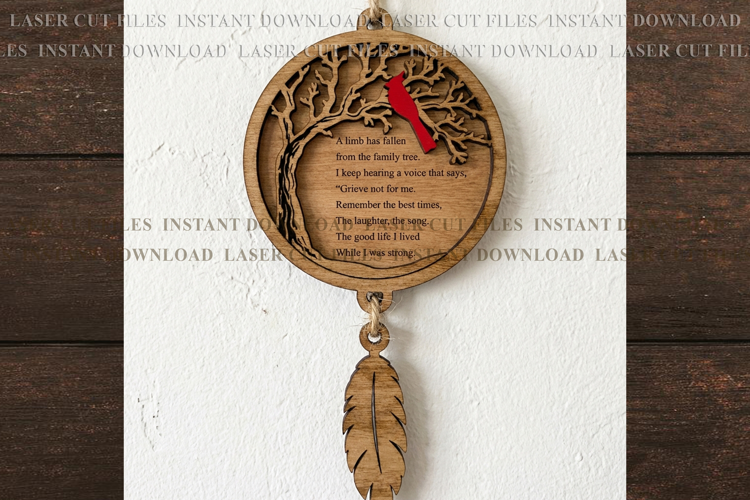

The limb has fallen ornament svg

Easter card (#522A): SVG/DXF/PDF
This item is an INSTANT DOWNLOAD that contains digital files
Cut the design with a machine on blades basis like Cricut JOY/Explore Air/Cricut Maker/, Silhouette Studio, ScanNCut; or cut it manually-use for this PDF files.
If you cut it manually, print the outlines PDF file on the card-stock and cut them manually with a craft knife.
Card Design has been tested with Cricut Explore Air.
To make the projects you would need:
- any craft glue tape or double tape scotch-0.25" for assembling
- standard card-stock 2 different colors(A4 or 12''x12'' format), optional a glitter card-stock for backward cover
Machine materials:
- Cutting mat 12x12
- Optional a Scoring stylus
= INCLUDED FILES ===================================
ZIP folders, inside with the following format files:
- Card design for cutting, 5"x7" fold version: SVG, DXF, PDF
- Background/Insert fold for : SVG, DXF, PDF
- Envelope template : SVG, DXF, PDF
- CRICUT JOY template(for Cricut Joy-Insert Cards card stock): SVG file
- INSTRUCTIONS How to assemble the cards: PDF file
- INSTRUCTIONS How to set up the Cricut MAKER/EXPLORE AIR machine: JPG file
- INSTRUCTION How to set up the CRICUT JOY machine: PDF file
♥ ♥ ♥( Please, read very carefully "Cricut Joy Machine set Up" instructions. As the design doesn't have insert corners, it's important to arrange it manually in the middle of the red outlines- for details see "step3-JOY-instructions".jpg file)♥ ♥ ♥♥ ♥ ♥♥ ♥ ♥♥ ♥ ♥♥
Files included: DXF, JPG, PDF, SVG