Unlimited Downloads 15% off Marketplace Purchases Exclusive Software Access Unlimited Downloads
15% off Marketplace Purchases
Exclusive Software Access
Start your Free Trial Start your Free Trial Maybe Later
NSMockup Avatar
Created By NSMockup
Follow

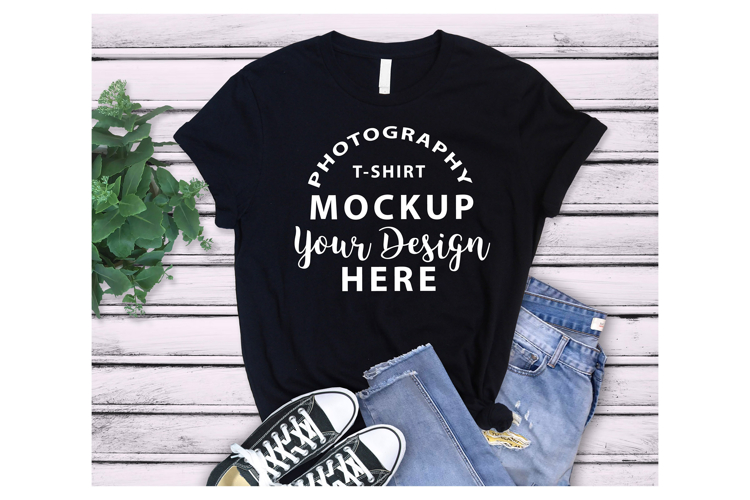
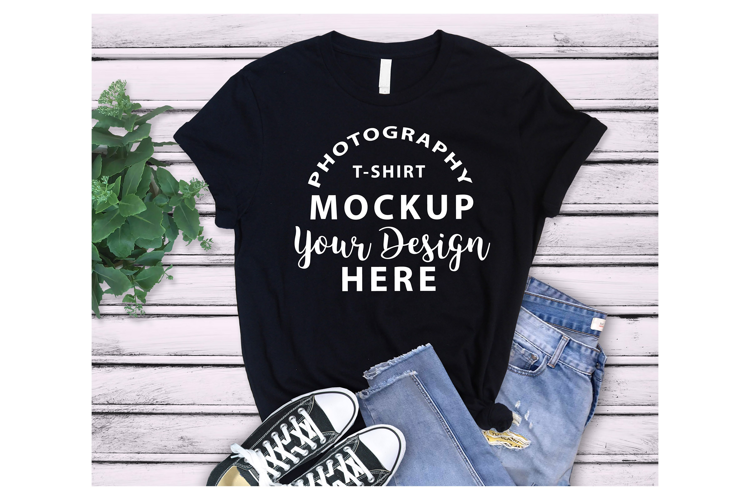
Bella Canvas 3001 Multi Color T-Shirt Mockup PSD

$6.99 USD
Premium License
Corporate License
Add to Cart - $6.99 USD
0

Share this product

More information on this Design

Elevate your apparel business with this premium, high-resolution Bella+Canvas 3001 Multi-Color T-Shirt Mockup!

This is actually a BUNDLE PRODUCT as you receive 1 PSD file with 20 colors.

This professional Photoshop (.PSD) template features a functional Smart Object layer that automatically applies natural fabric folds and shadows over your graphics for a 100% realistic look. With 20 solid colors organized in neat, toggleable layers, you can showcase your entire t-shirt line in seconds!

📦 WHAT YOU WILL RECEIVE:

  • 1 High-Resolution Photoshop (.PSD) file (with Smart Object and 20 color layers)
  • 22 Solid Colors included: Pebble, Aqua, Mint, Leaf, Maroon, Deep Teal, Team Purple, Purple, Cardinal, Navy, Burnt Orange, Berry, Steel Blue, Mauve, Evergreen, Olive, Teal, Asphalt, Red, Kelly, Royal Blue, Black,
  • Please note: All shirt colors are Solid tones.

⚡ FEATURES & BENEFITS:

  • Realistic Fabric Blending: Smart blending modes allow natural fabric textures to show through your design.
  • Time-Saving Workflow: Change shirt colors instantly by toggling layer visibility.
  • Highly Organized: Labeled folders and layers for a smooth, intuitive experience.
  • Versatile Use: Perfect for online stores, Print on Demand shops, and social media promotion.

🛠️ HOW TO USE:

  1. Open the .psd file in Adobe Photoshop.
  2. Double-click the thumbnail icon of the top layer named "DOUBLE CLICK TO ADD DESIGN".
  3. Place your artwork (PNG format with a transparent background) into the Smart Object window.
  4. Save and close the Smart Object window (Ctrl + S or Cmd + S). Your design will automatically blend with the shirt's texture!
  5. Open the "T-Shirt Colors" folder and click the "eye" icon to turn on the exact solid color you want to use.
  6. Go to File > Export > Quick Export as PNG to save your final display image.


Product Information

  • Release Date:
    14th June '26
  • Updated Date:
    14th June '26
  • Product Tags:
    Realistic Mockup T-shirt Template Bella Canvas 3001 Smart Object Mockup Bc3001 Mockup Psd Tshirt Mockup Apparel Mockup Psd Multi Color Mockup Solid Color Mockup Pod Mockup Bundle
  • File Types Included:
    PSD
  •  
    Report listing for infringement

Customer Reviews

For this Product
For this Store

There are no ratings for this product yet.

5.0
(9 Reviews)
5.0
9
4.0
0
3.0
0
2.0
0
1.0
0

How to use

Introducing Design School – our jam packed platform with its own mini search engine! Design School was made to help you learn all there is to know about fonts, graphics, templates, designs, file types, different software programs, Frequently Asked Questions and much much more.

Commercial use license

All Products can be used for Commercial Use! Read our licenses.

Five Star Technical Support

If our help center can't help you, our Customer Support staff will.

Unlimited Downloads

Your purchases are kept secure by us and can be downloaded an unlimited number of times.

store avatar
NSMockup

More Design Resources by NSMockup

Similar Design Products to Bella Canvas 3001 Multi Color T-Shirt Mockup PSD

Bella Canvas 3001 Multi Color T-Shirt Mockup PSD example image 1

Viewing Product

Bella Canvas 3001 Multi Color T-Shirt Mockup PSD

By NSMockup

Add to Cart - $6.99 USD
Help Center