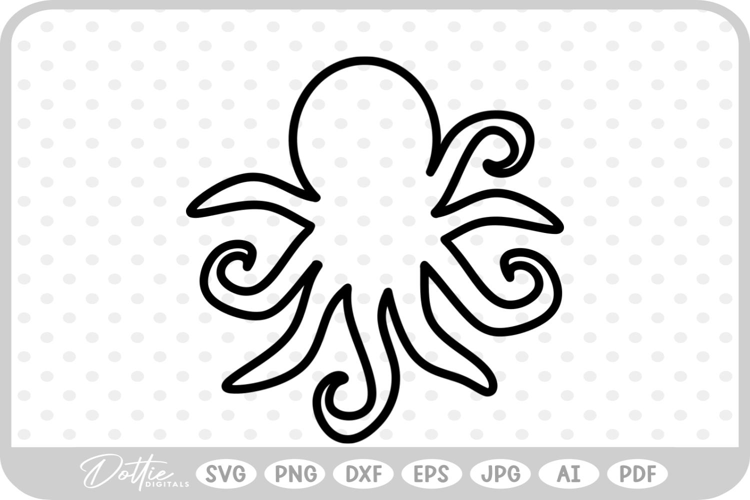
Single line octopus for use with your laser or in your cutting machine with foil transfer sheets, pens, embossing and engraving.
In this design there are 2 layers:
- In the first one there is just one single line for your machine to process. The final thickness depends on the size of the nib you will use
- The second layer is for cutting.
This is a digital download of vector Cut File Set hand drawn by me so you can be sure you are receiving unique and original designs.
The files can be imported to a number of cutting machine software programs.
With this purchase, you will receive a zipped folder containing SVG, DXF, AI, EPS, and PNG formats.
Compatibility Overview for the Cut File Set:
- DXF - Silhouette Studio Basic (Free) Edition
- SVG - Silhouette Studio Designer (Paid) Edition, Cricut Design Space, Make the Cut, Sure Cuts A Lot, Brother Scan N Cut
- AI and EPS - for Adobe Illustrator, Corel Draw, Inkscape and more.
- PNG for printing and other software programs.
Contents - 1 Zipped Folder Containing:
- 1 DXF Digital Cutting File
- 1 SVG Digital Cutting File
- 1 AI Digital Cutting File
- 1 EPS Digital Cutting File
- 1 PNG Transparent Clipart File
Compatible With:
- Cricut Design Space
- Silhouette Studio Basic Edition
- Silhouette Studio Designer Edition
- Sure Cuts A Lot
- Make the Cut
- Brother Scan N Cut
- Adobe Illustrator
- Adobe Photoshop
- CorelDraw
- Inkscape
All designs and images © DreamONprints.